



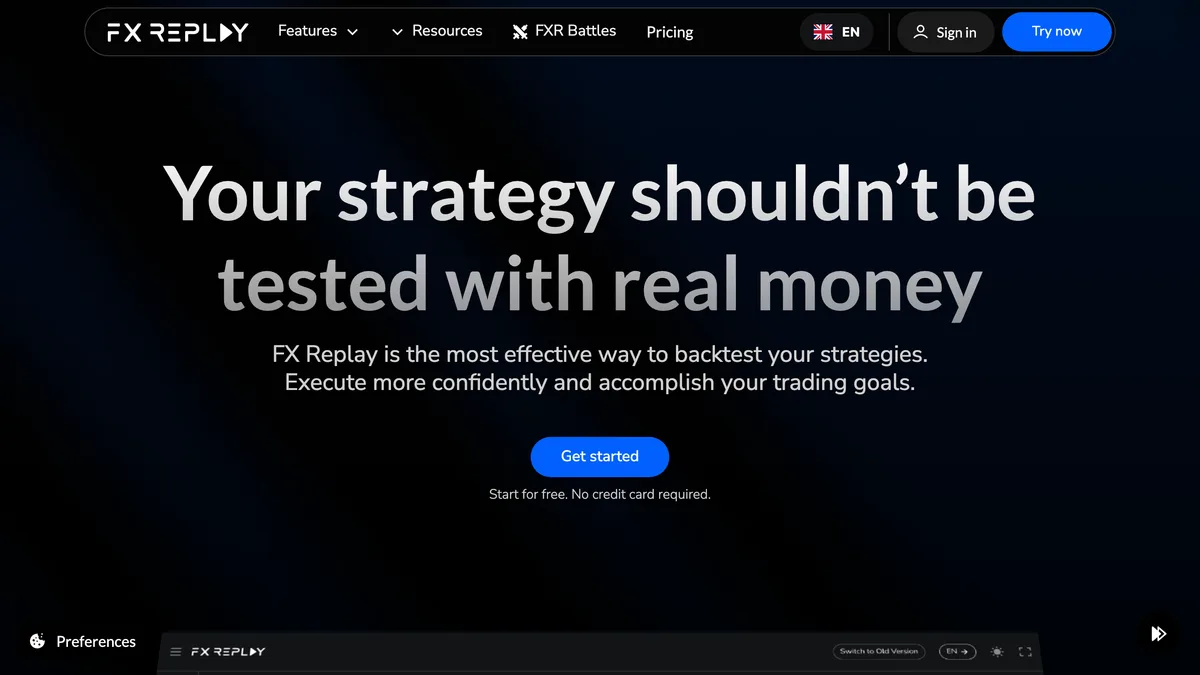
Verdict: A genuinely good discretionary backtester with the best analytics in its class and honest disclaimers, but its tick-data claim is contradicted by its own roadmap, its execution costs are user-set rather than realistic, and reliability complaints are real. Evaluate on the free tier first. We score it 6.8 / 10.
| Attribute | Value | Source |
|---|---|---|
| Company & track record | Operated by FX Replay, Inc., a US company based in Oklahoma City, founded in 2022 (CEO Rodrigo Collao). The product launched in October 2022 and is actively developed, with a major “FXR 2.0” redesign in October 2024 and 2025 additions including a Prop Firm Simulator and FXR Battles multiplayer. It won the Benzinga 2024 Global Fintech Awards “Best Backtesting Software” (Chairman's Award), which is independently confirmed on Benzinga's own site. A specific company registration number was not located, so we treat the corporate detail as reported rather than register-verified. | FX Replay ↗ |
| Software status | A backtesting and educational web app, not a broker, adviser, or funded-trader program. It holds no financial licence and is not financially regulated, which is normal and expected for backtesting software. Its own terms state plainly that FX Replay “is not a broker, does not execute real trades, does not facilitate live trading, and does not handle client funds.” No financial-regulator warning naming the product was found. | FX Replay terms ↗ |
| Pricing & plans | Subscription SaaS with no lifetime option. Beginner is free at $0 with no card required; Intermediate is $17.99/month or $180/year; Pro is $35/month or $350/year, billed monthly or annually and auto-renewing. Pro unlocks seconds-level candles, futures and stocks, Monte Carlo, and the Prop Firm Simulator. Payment is by card, Google Pay, PayPal, or crypto. | FX Replay pricing ↗ |
| Free tier & trial | There is a genuine free tier at $0 that requires no card, but it is feature-limited and the exact caps vary across the pricing page and support docs, so we do not pin a specific chart or session count. A separate 5-day trial of the paid plans requires payment details, takes no charge during the trial, and auto-converts to a paid subscription at the end. You are not eligible for the trial if you held a membership or trial in the prior year. | FX Replay trial ↗ |
| Platform & compatibility | Browser-based web app only, with a TradingView-style charting interface (it is a separate product, not a TradingView account or plugin). There is no desktop build, no MT4, MT5, cTrader, or NinjaTrader backtesting integration, and no native mobile app. All backtesting is self-contained in the web platform, and there is no automated EA testing or strategy engine. The separate Trading Journal feature offers live sync from cTrader and TradeLocker and CSV/file import from MetaTrader, with real-time MT4/MT5 sync listed as coming soon. | FX Replay ↗ |
| Data quality & sources | Marketing states FX Replay uses “real historical tick data rather than synthetic or interpolated price data” and offers “tick-level precision.” We treat this as an unverified marketing claim: the vendor's own blog lists tick-level data as a roadmap item, and two independent reviewers report the engine runs on 1-minute bars (seconds-level candles on Pro, still not native tick). Named data sources include Dukascopy and CME, with Kaiko for crypto; OANDA attribution and exact history start dates are not firmly verified, and independent reviewers report uneven history depth, with some pairs under 10 years and sometimes under 3. | FX Replay blog ↗ |
| Execution modelling | Spreads and commissions are user-set / configurable, not injected from real historical broker spreads, so a backtest reflects the costs you type in rather than the costs the market charged at that moment. Slippage is claimed but no methodology is disclosed, and swap/overnight financing, weekend gaps, and requotes are not documented anywhere we can verify, so we neither assert nor rule them out. Because testing is manual bar-by-bar replay, structural look-ahead bias is limited, which is a genuine positive of the discretionary format. | FX Replay backtest ↗ |
| Mode, features & honesty | Exclusively manual/visual bar-by-bar chart replay for discretionary traders, with no automated EA testing, no algo strategy engine, and no automated parameter optimisation. Monte Carlo is available on Pro, alongside a Prop Firm Simulator (shipped October 2025) and FXR Battles multiplayer (2025). Analytics are rich: win rate, P&L, time-based stats, MAE and drawdown, profit factor, Sharpe ratio, expectancy, R-multiple, trade tagging, and CSV export. On honesty the vendor scores well: a full CFTC Rule 4.41 disclaimer, the statement that “past performance of any trading strategy or backtest does not guarantee future results,” and editorial content warning against over-perfect backtests and curve-fitting. No bundled-EA equity curves are sold. | FX Replay ↗ |
| Platform | Score | Sample | Source |
|---|---|---|---|
| Trustpilot (third-party-cited) | ~4.2–4.6 / 5 | Not independently confirmed (Trustpilot returned 403 at check) | Source ↗ |
| Aggregate | ~4.2–4.6 / 5 | Third-party-cited; not independently confirmed | Normalized by TheFXGeek |
“All subscription payments are non-refundable.”
FX Replay Terms of Service, Refund Policy, accessed June 2026 TOS ↗
Subscription SaaS (monthly or annual, auto-renew); 5-day trial requires card and auto-converts; no lifetime“FX Replay blew my mind with their backtesting software. In my view there is no software that comes close to this. Their statistics is the most incredible as it gives you insights into your trading that no other platform or software can provide.”
Vendor-featured testimonial, FX Replay homepage (not an organic Trustpilot review), 2026 source ↗
“I never see any app which have more bugs and lags, they want 30Eur per month for most slowed application on world”
Trustpilot reviewer, Trustpilot, Nov 2025 source ↗
- Deep analytics: win rate, MAE/drawdown, profit factor, Sharpe, expectancy, R-multiple, tagging, CSV export
- Clean, TradingView-style browser interface purpose-built for discretionary replay
- Manual bar-by-bar replay limits structural look-ahead bias
- Honest CFTC Rule 4.41 disclaimer and explicit “past performance” caveat
- No bundled-EA hype or fabricated equity curves
- Real Benzinga 2024 Global Fintech “Best Backtesting Software” award
- Genuine free $0 tier with no card required
- Active 2025 development: Monte Carlo, Prop Firm Simulator, FXR Battles
- “Tick-level precision” marketing contradicted by the vendor's own roadmap; engine runs on 1-minute bars
- Execution costs are user-set, not real historical spreads; slippage method and swap/gaps/requotes undisclosed
- Web-only with no MT4/MT5, desktop, EA testing, or automated optimisation
- “All subscription payments are non-refundable,” plus a trial that auto-converts to paid and auto-renewing annual plans
- Persistent and reportedly worsening lag, freezes, and lost-progress complaints
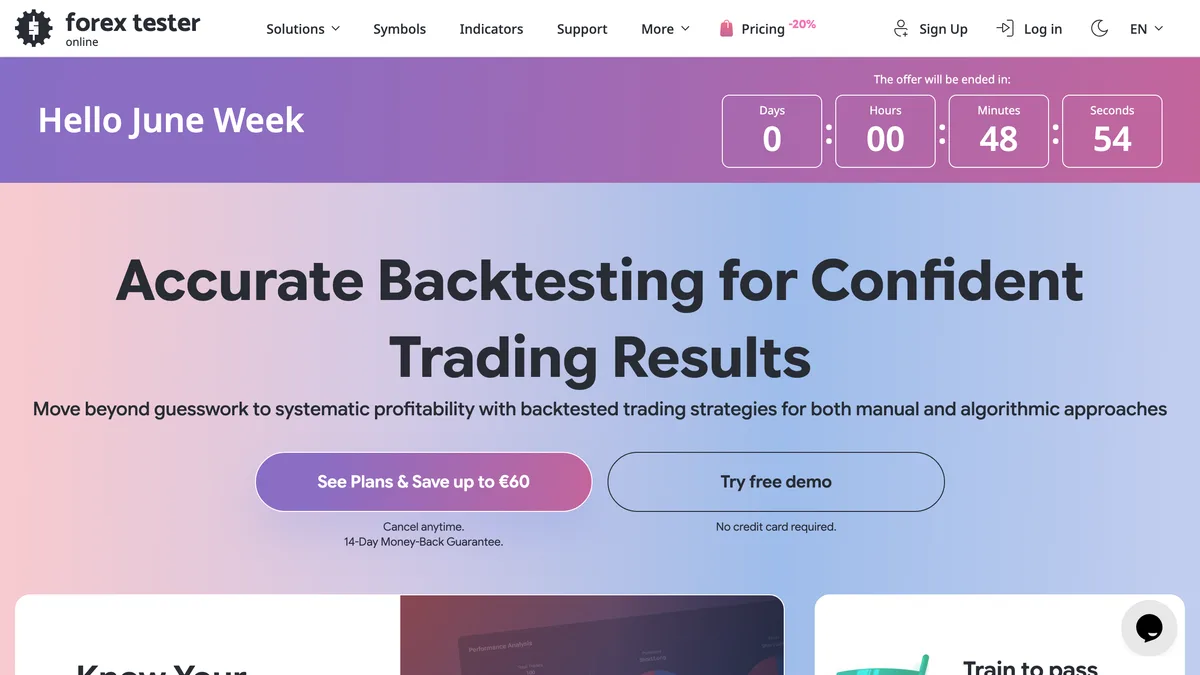
Verdict: A solid, qualified recommendation: genuinely useful and well-supported, but buy with open eyes on undisclosed paid-data provenance, cost-stacking across two products, and FX Tester Online's launch bugs. We score it 6.8 / 10.
| Attribute | Value | Source |
|---|---|---|
| Company & track record | Operated by Forex Tester Software Inc., registered in Ontario, Canada, with a reported operational base in Ukraine that comes from third-party staff and directory sources only, so we treat it as reported rather than register-verified. The product line traces back to around 2006 and has been continuously maintained since, progressing through several desktop versions to the current web-based Forex Tester Online (launched 2024). That longevity is a genuine positive in a category littered with abandonware. No named principals are listed on the official About page and no company registration number was located, so we treat the corporate detail as reported. | Forex Tester ↗ |
| Software status | A backtesting and strategy-testing application, not a broker, adviser, or funded-trader program. It holds no financial licence and is not financially regulated, which is normal and expected for backtesting software that touches no client money. Its own terms state the software “is not intended for real money trading.” No financial-regulator warning naming the product was found, and Scamadviser rates the domain “very likely not a scam.” | Forex Tester terms ↗ |
| Pricing & plans | Two distinct products with different pricing. Forex Tester Online (FTO), the current flagship, sells one-time “lifetime” licenses with tick data bundled in: Starter at €135 (regularly €169) and Pro at €239 (regularly €299) in the June 2026 sale. An FTO subscription also exists, but its current price is not disclosed on the official page at our access date because the pricing page returns a 404. Forex Tester Desktop is a one-time license plus a separate recurring Super Data subscription for tick data, all ex-VAT: license-plus-Basic from $149 (regularly $230), up to a $469 lifetime-data bundle. Super Data standalone is $30/mo, $199/yr, or $369 lifetime. | Forex Tester pricing ↗ |
| Free tier & trial | The desktop Basic tier uses free Forexite M1 (one-minute) data, but the free version is limited and tick-level testing requires payment, so there is no fully free unlimited tier. A formal trial is not clearly disclosed; instead the refund guarantees function as a money-back window: 14 days on desktop and 30 days on FTO for the initial payment (7 days for subsequent payments). | Forex Tester data sources ↗ |
| Platform & compatibility | FTO is a browser-based web app (shipped 2024). The legacy desktop product is Windows-only, and its own download page self-labels as the “old version.” There is no verified macOS-native build, no MT4/MT5 plugin, and no cTrader or NinjaTrader integration. Desktop supports CSV/txt data import. If you need testing inside MetaTrader, this is not that tool. | Forex Tester ↗ |
| Data quality & sources | The honesty splits sharply by tier. The free/Basic source is named: Forexite, delivered as M1 one-minute bars, 18 symbols, medium quality, with documented “bad bars” complaints in trader forums. The paid tick data, Super Data on desktop and the tick data bundled into FTO, is where the whole accuracy value proposition lives, and here the vendor never names the source and no external audit exists. FTO advertises 272 instruments and desktop Super Data covers 860+ symbols, but breadth is not provenance. The vendor's “premium quality” and “we are 100% sure” lines are unverifiable marketing. | Forex Tester history service ↗ |
| Execution modelling | Execution realism is conditional, not out-of-the-box. Floating/variable spread requires the paid tick tier; on free M1 data the spread model is not realistic. Spread, commission, and swap are configurable, and testing is tick-level only with paid data. Slippage, latency, and news-event spread widening are described as “simplified” by independent sources, and the auto-slippage fill model is not documented, so we neither assert nor rule out specific fill behaviour. Because testing is manual bar/tick replay, structural look-ahead bias is limited. | Forex Tester ↗ |
| Mode, features & honesty | Both products do manual visual replay with speed control, multi-timeframe and multi-currency charts, and an economic calendar. Desktop adds automated EA testing in C++/Delphi and an AI Strategy Optimizer; FTO Pro adds an Exit Optimizer, a prop-firm challenge simulator, and a blind-testing mode. Walk-forward analysis and Monte Carlo are not documented for either product. On honesty the vendor scores well: its terms state hypothetical results are “prepared with the benefit of hindsight” and “may differ significantly from actual trading results,” and its blog calls backtesting “a filter, not a crystal ball.” Every accuracy figure it publishes (“almost 100% quality of testing,” optimizer “up to 99% / 95%”) is marketing about data granularity or parameter-search coverage, not measured backtest fidelity. | Forex Tester blog ↗ |
“All newly-purchased Software licenses and data service subscriptions are covered with a 14-day unconditional money-back guarantee.”
Forex Tester Terms of Service, Terms of Refunds (Desktop), accessed June 2026 TOS ↗
FTO: one-time “lifetime” license (plus an undisclosed subscription); Desktop: one-time license + separate recurring Super Data tick subscription“I wouldn't have been a profitable trader over the last two years, without any reliable backtesting facilities.”
Jadzia.Daxtrader, BabyPips forum, Sep 2025 source ↗
“Half a year ago I wouldn't have recommended the software (online one) due to numerous bugs ... tick data, required for lower timeframes backtesting and especially scalping comes with extra costs.”
Beaylemo, BabyPips forum, Aug 2025 source ↗
- Mature, continuously maintained since ~2006 by an Ontario-registered company, with responsive support
- Strong manual visual bar/tick replay with speed control, the core strength for discretionary testing
- Broad coverage: FTO 272 instruments across forex, crypto, stocks, indices, ETFs, futures, commodities; desktop 860+ symbols
- Multi-timeframe and multi-currency testing, plus economic calendar overlay
- Desktop automated EA testing (C++/Delphi) and AI Strategy Optimizer; FTO Pro adds Exit Optimizer, prop-challenge simulator, and blind-testing mode
- Unusually honest backtest-vs-live disclaimers in its own terms and blog
- Documented refund guarantees (desktop 14-day, FTO 30-day) and a free Forexite M1 data tier named openly
- Paid tick data the entire accuracy pitch depends on comes from a source the vendor never names, with no external audit
- Cost-stacking on desktop: serious tick testing forces a recurring data subscription on top of the license
- FTO reported “extremely buggy since launch,” including a support-acknowledged H4 candle-misalignment bug, against bold accuracy marketing
- No walk-forward analysis and no Monte Carlo for either product; no MT4/MT5 plugin
- Fragmented two-product pricing with the FTO subscription price undisclosed (page 404s) and “lifetime” licenses version-locked
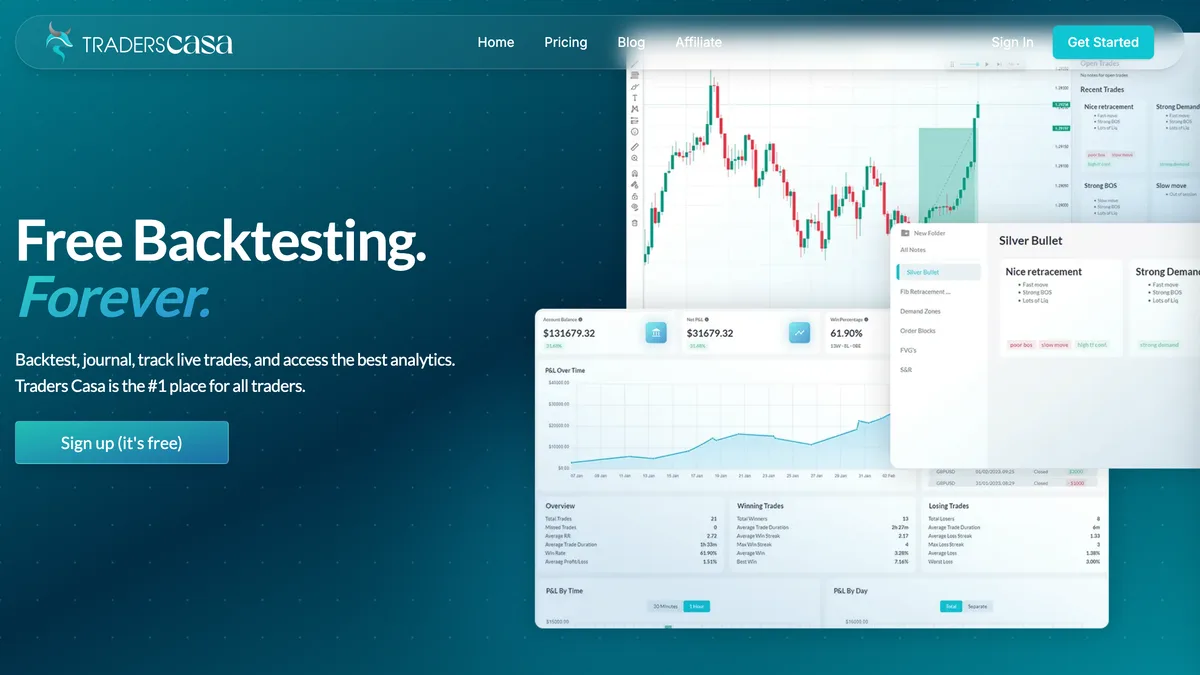
Verdict: A decent visual-replay tool for casual reps on the free tier, but harder to trust with real money on the line until the data source, resolution, and execution modelling are documented and the data-integrity complaints are resolved. We score it 5.4 / 10.
| Attribute | Value | Source |
|---|---|---|
| Company & track record | Operated anonymously under the brand “Traders Casa” (self-styled “Team Casa”), with no legal entity name, owner, founder, or registered office disclosed anywhere on the site, terms, or privacy policy. Jurisdiction signals point to the UK: the privacy policy says data is “stored and/or processed in United Kingdom” and the terms are governed by UK law with binding LCIA arbitration. No legal entity named Traders Casa was located on Companies House; the dissolved CASA TRADING LTD (No. 13236409, dissolved September 2022) is unconnected. The domain was registered June 2023 behind a WHOIS privacy shield, and the app launched out of beta in August 2025. | Traders Casa ↗ |
| Software status | A backtesting and trade-journaling web app, not a broker, adviser, or funded-trader program. It holds no financial licence and is not financially regulated, which is normal and expected for backtesting software. Its terms disclaim responsibility for trading outcomes: “Traders Casa is not responsible for any trading decisions, outcomes, or financial losses resulting from the use of our platform or reliance on the information provided.” No financial-regulator warning naming the product was found. | Traders Casa terms ↗ |
| Pricing & plans | Subscription only, billed “every 4 weeks” (13 cycles a year rather than 12), with no annual, one-time, or lifetime option. Free is $0 with no card; Basic is advertised at “$1.74/wk” (roughly $90/yr); Pro is “$7.50/wk” (roughly $390/yr at the vendor's own 13-cycle cadence). Pro unlocks Casa AI, 20+ years of data, full live mode, broker sync, and the full analytics suite. The per-week framing understates what you actually pay. | Traders Casa pricing ↗ |
| Free tier & trial | There is a genuine free tier at $0 that requires no card, limited to 6 months of historical data, an ad-supported experience, a P&L graph, and a consistency tracker. No paid free trial is advertised and there is no money-back guarantee on the pricing page, so the free tier doubles as the de facto demo. Users report the free tier is heavily ad-laden and that core actions such as closing a trade are locked behind the paywall, making it more of a constrained demo than a usable free product. | Traders Casa pricing ↗ |
| Platform & compatibility | Browser-based web app only (app.traderscasa.com), with charting and an economic calendar powered by TradingView technology. There is no desktop build and no native mobile app, so mobile use means a browser on your phone. It is not an MT4/MT5 or cTrader plugin and not the MetaTrader Strategy Tester. MT5 is the only platform wired to the Rewind/Go To/Quick Place navigation tools today; the site's own footnote reads “For MT5 (MT4 and CTrader coming soon),” with no date, and no changelog entry between August 2025 and March 2026 records either shipping. Broker sync for journaling live trades is shipped on Pro. There is no CSV or custom tick-data import. | Traders Casa ↗ |
| Data quality & sources | The official site names no data source and discloses no data resolution: the words tick data, M1, OHLC, and modelling quality appear nowhere, and there is no accuracy percentage on the site. The only source claim anywhere, a Dukascopy “>99.9% live accuracy” line, appears solely in Trustpilot support replies, never on the site, with no stated resolution or method, so we treat it as an unverified vendor claim. A competitor (ForexTester) characterises the data as “limited, 1-minute for ~30 assets, mainly stocks,” which we cite only with that competitor provenance. Historical depth is tier-gated: 6 months on Free, 6 years on Basic, 20+ years on Pro. | Traders Casa ↗ |
| Execution modelling | Not disclosed. There is no documentation anywhere of how the tool handles spread (fixed or variable), commission, swap or overnight financing, slippage, requotes, partial fills, or weekend gaps. We can neither call its fills realistic nor rule out idealised fills, because the vendor simply does not say. For a tool whose entire value proposition is rehearsing real trading, that silence is a serious gap. Because testing is manual bar-by-bar replay, structural look-ahead bias is limited, which is a genuine positive of the discretionary format. | Traders Casa ↗ |
| Mode, features & honesty | Exclusively manual/visual bar-by-bar chart replay for discretionary traders, with no automated EA testing, no scripting, no parameter optimisation, no walk-forward, no Monte Carlo, and no out-of-sample testing. Analytics are the headline (“50+ insights and reports”), scaling from a P&L graph and consistency tracker on Free up to full backtest analytics, reports, a notebook, filter analytics, multi-session comparison (Feb 2026), and Casa AI trade-review analytics (Mar 2026) on Pro. On honesty the picture is mixed: the vendor does not sell bundled EA equity curves, but there is no backtest-vs-live disclaimer on the homepage or pricing page, and the headline stats (“500,000+ Users”, “8,000,000+ Backtested Trades”) are unaudited marketing claims. | Traders Casa ↗ |
| Platform | Score | Sample | Source |
|---|---|---|---|
| Trustpilot (main domain) | 3.9 / 5 | 145 reviews (indexed; direct pages returned 403) | Source ↗ |
| Trustpilot (UK subdomain) | 2.6 / 5 | 102 reviews (contradicts main domain) | Source ↗ |
| Aggregate | 3.9 / 5 | 145 Trustpilot reviews (main domain; UK subdomain contradicts at 2.6 / 5) | Normalized by TheFXGeek |
“Traders Casa's total cumulative liability under these Terms, regardless of form of action, shall not exceed one hundred (100) GBP.”
Traders Casa Terms of Service, Terms of Service, accessed June 2026 TOS ↗
Subscription only, billed every 4 weeks (13 cycles/yr); no one-time or lifetime; no free trial advertised“TraderCasa has to be best back-testing software out there!! it has all feature that I will ever need and its also user-friendly and free making it completely accessible by anyone Thanks to TraderCasa I can back-test anytime comfortably and improve my trading drastically.”
Raj Chaudhary, Trustpilot, Apr 2024 source ↗
“Multiple users report candles changing colour or shape retroactively when switching timeframes, and a win-rate discrepancy of 60-70% on TradingView versus 10-20% on Traders Casa running the same strategy; the vendor disputes these and says it could not replicate them.”
Community sentiment (paraphrased theme), Trustpilot, 2024-2026 source ↗
- Genuinely free tier with no card required for trying manual chart replay
- Clean, familiar charting experience powered by TradingView technology
- Browser-based with nothing to install; works on any OS
- Strong journaling layer: tag trades, save screenshots, daily/live notebooks, broker sync (Pro)
- “50+ insights” plus AI trade-review analytics (Casa AI) on Pro
- Actively developed, with monthly changelog entries from Aug 2025 to Mar 2026
- Does not bundle or sell strategy results or EAs, limiting curve-fitting/overselling risk
- Self-serve cancellation via Stripe and responsive vendor replies to reviews
- No named data source and no resolution disclosure (tick/M1/OHLC); the Dukascopy claim is support-reply only and unverified
- No documented execution modelling (spread, commission, swap, slippage, and gaps all undisclosed)
- Fully anonymous operator with no legal entity, hidden WHOIS, and a 100 GBP liability cap
- Multiple unresolved user reports of retroactive candle changes and a large backtest-vs-TradingView win-rate discrepancy the vendor could not replicate
- Refund policy exists only in support replies (no published page, /faq 404); subscription-only with no one-time/lifetime option
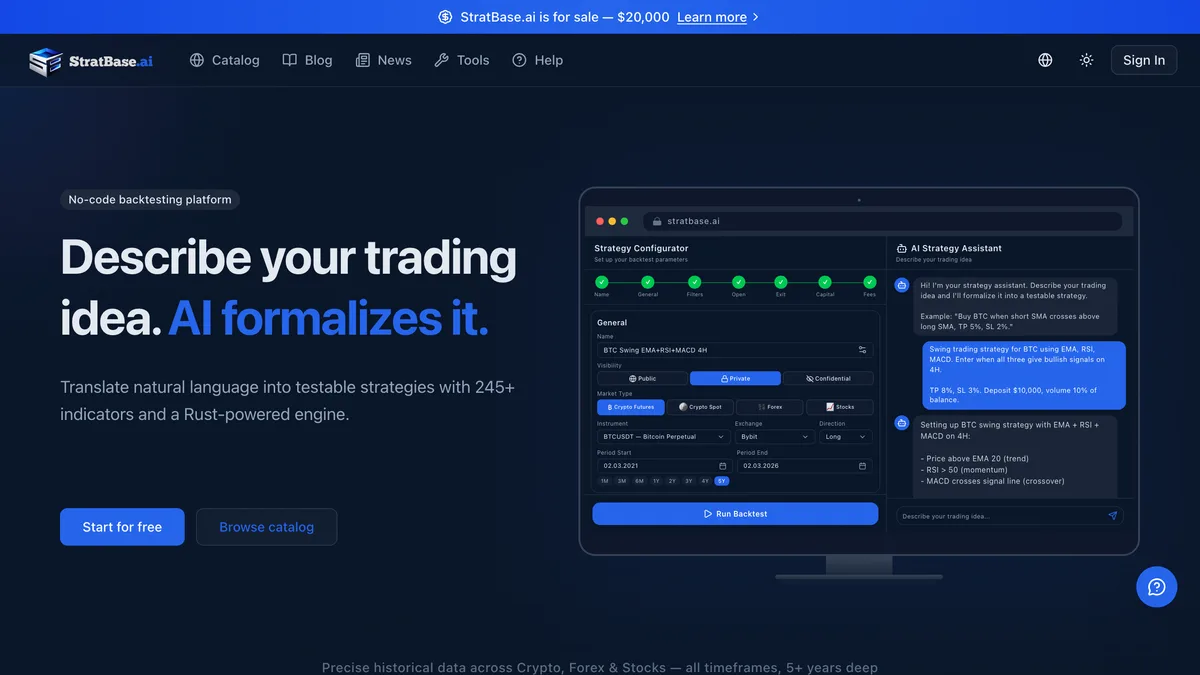
Verdict: Capable but unproven and openly for sale with no subscriber protection; sample the free tier, but do not build a real-money validation workflow on it. We score it 5.4 / 10.
| Attribute | Value | Source |
|---|---|---|
| Company & track record | Operated by “StratBase.ai” with no legal entity name, registration number, or physical address disclosed anywhere. The vendor names Ruslan Vlasiuk as founder/CEO and lists a team of roughly six people by first name only, based in Kyiv, Ukraine, with a stated founding year of 2024. We could not independently verify the founder (the linked company LinkedIn belongs to an unrelated CS:GO entity), and there are no Wayback snapshots. Most strikingly, a sitewide banner advertises the entire business for sale: “StratBase.ai is for sale — $20,000,” with a “Learn more” link that returns a 404 and no public marketplace (Acquire/Flippa) listing we could find. | StratBase.ai ↗ |
| Software status | A backtesting web app, not a broker, adviser, or funded-trader program. It holds no financial licence and is not financially regulated, which is normal and expected for backtesting software. Its terms state plainly that “StratBase.ai is not a financial advisor, broker, or investment service” and that “AI does NOT provide trading recommendations or financial advice.” No regulator warning naming the product was found. The fair criticism here is corporate opacity, not regulation: the governing-law clause does not even name a jurisdiction (“the laws of the jurisdiction where StratBase.ai operates”). | StratBase.ai terms ↗ |
| Pricing & plans | Subscription SaaS, monthly, with no lifetime or one-time option. The free tier is permanent (5 backtests/day, 1-minute minimum timeframe, up to 1 year of data). Paid plans are Pro at $29/mo (unlimited backtests, 3 years of data, single-parameter optimisation), Premium at $49/mo (1-second resolution, 5 years of data, full multi-parameter optimisation), and Private at $99/mo (confidential strategy visibility, priority support). A “yearly, save ~28%” toggle exists, but the exact annual prices are not published. Payments run through Paddle, with NowPayments for crypto. | StratBase.ai pricing ↗ |
| Free tier & refund | The free tier is permanent and meaningful, and the vendor describes it as “an unlimited trial — use it as long as you want,” so there is no separate timed trial to auto-convert. Paid plans carry a genuine “14-day unconditional money-back guarantee on all purchases,” processed via Paddle as Merchant of Record with a 24-hour response target and 5-10 business days to land. Auto-renewal is disclosed in plain language and cancellation is self-serve “anytime from your dashboard — no questions asked.” | StratBase.ai terms ↗ |
| Platform & compatibility | Browser-based cloud web app only. There is no MT4, MT5, cTrader, or NinjaTrader plugin, no desktop build, no native mobile app, and no manual visual replay mode. The tech stack is a Rust engine with Python/PyO3, a Next.js frontend, PostgreSQL with TimescaleDB, and Anthropic Claude for AI features. Data is pre-loaded and bundled; “tools” pages reference optional CCXT/Polygon import, but a native Polygon integration is claimed only on a tools page rather than in documentation, so we treat import as unverified. | StratBase.ai ↗ |
| Data quality & sources | The vendor names real, reputable sources: Dukascopy for forex, Binance and Bybit for crypto, and Alpaca for US stocks, with coverage of 27 forex pairs, 1700+ crypto pairs (spot and futures), and roughly 130 to 230 US stocks, and depth claimed at “5+ years.” The headline oversells it, though: the site markets “tick-level source data,” but the vendor's own blog admits the forex data is Dukascopy tick data “aggregated to 1-minute candles.” For forex you are backtesting on M1 bars, not ticks. The finest resolution, 1-second candles, applies to crypto on Premium and above. Of eight exchange logos shown, only Binance, Bybit, Dukascopy, and Alpaca are confirmed functional, and there is no independent data audit. | StratBase.ai blog ↗ |
| Execution modelling | The vendor states a “next-bar execution” rule with “indicators on completed bars only” to limit look-ahead bias, which we cannot independently audit. Commission appears to use pre-loaded maker/taker fee schedules for Binance and Bybit. Beyond that the modelling is murky: slippage is described two contradictory ways across the vendor's own content (user-entered constants in one blog, “dynamic slippage by volatility/time of day” of 0.02-0.08% in another), and neither appears in documentation. Forex spread handling (fixed vs variable) and swap/funding application are undocumented, and partial fills, requotes, and weekend gaps are not mentioned at all. | StratBase.ai blog ↗ |
| Mode, features & honesty | Automated bar-by-bar backtesting only, with no manual replay. The standout shipped feature is an AI natural-language strategy builder powered by Anthropic Claude that turns instructions like “buy when RSI crosses above 30” into executable rules, alongside 245+ indicators across six categories, grid/DCA templates, multi-timeframe support, grid-search and walk-forward optimisation, AI-written analysis reports, a proprietary “StratBase Score,” and outputs covering equity curve, drawdown, underwater chart, trade log, and a set the vendor calls “20+ metrics.” Monte Carlo is not mentioned anywhere and should be treated as not shipped; export format is unconfirmed. On honesty the core disclaimers are good (past performance does not guarantee future results; results are simulations that may not reflect real-world conditions), and the vendor's own blog carries an overfitting warning. But headline accuracy claims are unbacked and self-contradictory, and supporting blog content runs under unverifiable author personas. | StratBase.ai ↗ |
| Platform | Score | Sample | Source |
|---|---|---|---|
| StratBase.ai (vendor-hosted, self-reported) | 4.9 / 5 | 12 reviews — all 5-star, all within an 18-day March 2026 window; self-asserted “verified,” NOT third-party verified; no independent rating exists | Source ↗ |
| Aggregate | 4.9 / 5 (vendor-hosted) | Self-reported from 12 reviews; no independent rating exists | Normalized by TheFXGeek |
“14-day unconditional money-back guarantee on all purchases.”
StratBase.ai Terms of Service, Refund Policy (Terms Sec 7), accessed June 2026 TOS ↗
Subscription only, monthly (yearly save ~28%, exact annual price not published); permanent free tier; 14-day unconditional refund via Paddle; no lifetime“I've been using StratBase.ai for two weeks and I'm very satisfied. I used to test strategies manually in Excel — it was a nightmare.”
Vendor-hosted review (AndriiSignals), StratBase.ai reviews page (self-hosted, not an independent review), Mar 2026 source ↗
“No independent review of StratBase.ai exists anywhere — no Trustpilot, G2, Capterra, Reddit, or Product Hunt presence. The only ratings are 12 self-hosted, all-5-star reviews posted within an 18-day window, and the business is openly for sale with no continuity clause for subscribers.”
TheFXGeek research note, Independent-coverage check, June 2026, Jun 2026 source ↗
- Permanent free tier (5 backtests/day, up to 1yr data, all markets)
- Genuine 14-day unconditional money-back guarantee via Paddle (Merchant of Record)
- Named, reputable data vendors: Dukascopy, Binance, Bybit, Alpaca
- AI natural-language strategy builder via Anthropic Claude (shipped)
- 245+ indicators, grid/DCA templates, and multi-timeframe support
- Walk-forward optimisation (single-param on Pro, multi-param on Premium+)
- Honest core disclaimers including a backtest-vs-live caveat and an overfitting warning
- Transparent auto-renewal language and easy “no questions asked” cancellation
- Openly listed for sale at $20,000 with no continuity clause for subscriptions or data if sold or shut down
- No legal entity name, registration number, or named jurisdiction; founder identity unverified
- Forex data is Dukascopy tick aggregated to M1 candles, not “tick-level” as marketed
- Execution modelling (slippage, spread, swap, fills) is contradictory or undocumented
- Self-graded, internally inconsistent accuracy claims supported by likely-fabricated author and review personas
- Web-only with no MT4/MT5/TradingView path, no manual replay, and zero independent reviews
What to look for in backtesting software
Data Quality Decides Everything
The single biggest factor in whether a backtest means anything is the data behind it. Real tick data captures every price change and produces realistic fills, while interpolated or minute-bar data fills the gaps with estimates that quietly flatter your results. Before you trust a tool, confirm where its data comes from, whether it is genuine tick data, how far back the history goes, and which pairs it covers. A headline accuracy figure with no named, checkable data source behind it is marketing, not evidence.
Execution Modelling Must Be Realistic
A strategy that looks profitable at perfect fills can bleed money once real costs are applied. Check how the tool models the spread (fixed, variable, or real), whether it charges commission and swap, and how it handles slippage, requotes, and weekend gaps. The more honestly a backtester reproduces what your broker would actually have done, the more its results are worth. Be wary of any engine that fills at the exact signal price with zero friction.
Match the Tool to How You Test
Decide first whether you backtest by judgement or by system. Discretionary traders want manual, visual replay that steps through historical charts bar by bar so they can practise reading setups. Systematic traders want automated testing of a coded strategy or expert advisor, with parameter optimisation, walk-forward analysis, and detailed reports. Some tools do one well, some do both, and either way it has to run on the platform you actually trade and cover your markets today rather than on a roadmap.
Pricing, Free Tiers, and the Backtest-vs-Live Reality
Backtesting tools are sold as subscriptions, one-time purchases, or “lifetime” deals, and the free MT4 and MT5 Strategy Tester sets the baseline they have to beat. Check what any free tier or trial actually includes, and read the refund and auto-renewal terms carefully. Above all, keep perspective: even a clean backtest on good data is a hypothesis about the past, not a promise of future profit, so favour tools that are honest about curve-fitting and out-of-sample testing over ones that sell a backtested equity curve as if it were live performance.
Forex Trading Glossary
Quick definitions for terms used throughout this guide, spreads, pips, leverage, and margin, and how they shape what trading with a given broker actually costs.
- Backtest
- Running a trading strategy against historical price data to estimate how it would have performed. Results can be inflated by poor data, idealised fills, or curve-fitting, so a backtest is a hypothesis, not a guarantee.
- Tick data
- Price data that records every individual change in the bid or ask, the highest-resolution input for a backtest. It produces far more realistic intrabar fills than lower-resolution minute or candle data.
- Interpolation
- Estimating the price movement inside a bar when only the open, high, low, and close are known. Interpolated data fills the gaps with assumptions, which can make a strategy's backtest look better than its live behaviour.
- Modelling quality
- A figure, most associated with the MT4 Strategy Tester, that estimates how accurately the simulation reproduced real price movement. A high number depends entirely on the quality of the underlying data feeding it.
- Spread modelling
- How a backtest accounts for the gap between bid and ask on every trade. Using a fixed spread, a variable real spread, or none at all materially changes the result, especially for short-term strategies.
- Slippage
- The difference between the price a strategy expected and the price it would actually have filled at. A backtest that assumes fills at the exact signal price ignores slippage and overstates performance.
- Walk-forward analysis
- An optimisation method that tunes a strategy on one slice of history, tests it on the next unseen slice, then rolls forward. It is a stronger guard against curve-fitting than optimising over the whole period at once.
- Optimisation
- Searching across parameter values to find the settings that performed best on historical data. Pushed too far it becomes curve-fitting, producing settings tuned to the past that fail in future.
- Curve-fitting (overfitting)
- Tuning a strategy so tightly to historical data that it captures noise rather than a real edge. A curve-fit system shows a beautiful backtest and falls apart in live trading.
- Out-of-sample testing
- Reserving a portion of historical data the strategy was never optimised on, then testing on it, to check whether an edge is real or just fitted to the in-sample period.
- Look-ahead bias
- A flaw where a backtest uses information that would not have been available at the moment of the trade, such as a bar's closing price before the bar closed. It produces impossible, inflated results.
- Equity curve
- A running chart of a strategy's simulated account balance over the backtest. Its smoothness, slope, and drawdowns reveal far more than a single headline return.
How we rank
Every backtesting tool is scored from 1 to 10 across six weighted axes: data and simulation accuracy, platform compatibility, features and customization, cost and value, transparency and trust, and support and reputation. We confirm the pricing model and free tier against the vendor's own pages, verify which platforms and data sources actually ship today, state whether the historical data is real tick data or interpolated, check how the engine models spread, slippage, commission, and swaps, and never restate an advertised backtest result as live performance. Scores are reviewed as pricing, data, and features change, and affiliate relationships never influence a ranking or a position in this list.
Frequently asked questions
A polished, analytics-rich manual replay tool worth the subscription for discretionary traders, as long as you ignore the “tick-level” marketing and accept web-only delivery plus reliability risk. Open a demo to try it risk-free, then fund a live account when you're ready. Trading carries risk.
Try FX Replay